MSP & IT Services Automation - Run Your MSP Like the Operations Business It Is
Why MSPs run on glue scripts (and what it costs)
A backbone that connects PSA, RMM, ticketing, billing, and docs
MSPs and IT consultancies with 10-100 staff
What we automate inside an MSP
Eight workflows that quietly drain MSP margin every month.
-

PSA ↔ RMM data sync
Bidirectional sync between ConnectWise/Autotask/Halo and ConnectWise Automate/Kaseya/NinjaOne/Atera - assets, tickets, contacts, agreements. Stops the 'open both tools to find the truth' workflow.
-

Ticket triage automation
Inbound tickets routed by client, contract terms, severity, and tech skill. AI classification for category and priority. SLA timers per contract enforced as a workflow, not a hope.
-

Time entry enforcement
Time prompts at the ticket level - when a ticket transitions, the system asks for time. Forgotten time entries surface to the tech in Slack/Teams, not buried in a Friday email from the controller.
-

Billing & invoicing pipeline
Time, expenses, agreements, and project milestones flow from the PSA to QuickBooks/Xero/Sage with rate cards applied per client. Monthly close runs in hours, not days.
-

Alert deduplication & escalation
Alerts from RMM, network monitors, security tools, and uptime checks ingested into one pipeline with dedup, correlation, severity-aware routing, and on-call escalation. The 11pm noise goes away.
-

Project profitability tracking
Project tickets, time, and expenses rolled up against fixed-fee bids in near-real-time. Project managers see margin erosion early, not at month-end.
-

New-client provisioning
New client kicked off in the PSA triggers a provisioning workflow - RMM deployment scripts, documentation platform setup, billing config, ticket templates, security baselines. What was a week of senior-tech effort runs in hours.
-

QBR pack generation
Quarterly business reviews assembled automatically per client: ticket volume, SLA performance, project status, security posture, asset roadmap. The senior tech reviews and tailors instead of building from scratch.
WHO WE BUILD FOR
Three MSP models we work with
-
PURE MANAGED SERVICES
Recurring-revenue-heavy MSPs running on PSA + RMM with mostly fixed-fee agreements. Pain is service-delivery efficiency, alert noise, and consistent QBR delivery. Automation wins are PSA-RMM sync, alert pipeline, and QBR generation. -
PROJECT-LED IT CONSULTING
Mixed-model IT consultancies with significant project revenue alongside MSP agreements. Pain is project profitability tracking, time capture across project and managed work, and resource utilization. Automation wins are time enforcement, profitability dashboards, and project workflow. -
HYBRID MSPs WITH CO-MANAGED CLIENTS
MSPs that deliver alongside the client's internal IT team. Pain is shared ticketing visibility, escalation rules, and reporting to the client's CIO. Automation wins are co-managed portals, escalation workflows, and client-facing dashboards.
WHAT CHANGES IN 90 DAYS
Typical outcomes for a 25-person MSP
The MSP Operations Backbone
Five connected systems that turn an MSP from a herd of scripts into an operations business.
The MSP Automation Backbone
The complete operations infrastructure a 10-100 staff MSP runs on:
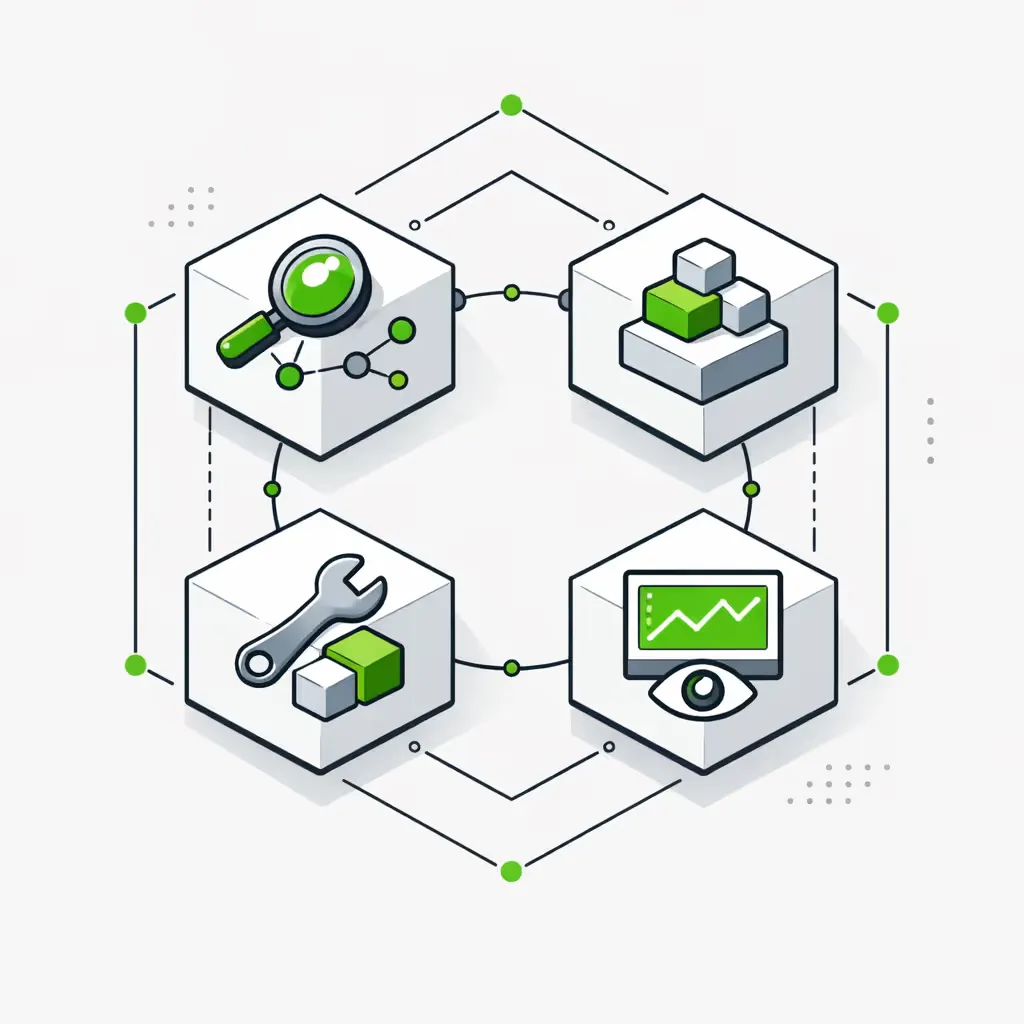
PSA-RMM Sync
Bidirectional sync between ConnectWise/Autotask/Halo PSA and ConnectWise Automate/Kaseya/NinjaOne/Atera/Datto RMM. Assets, tickets, contacts, and agreements stay in sync without manual reconciliation.
Ticket Triage
Inbound tickets routed by client, contract, severity, and tech skill. AI-assisted category and priority classification. SLA timers per contract enforced as a workflow with proactive breach prevention.
Time → Billing
Ticket-level time prompts, project time rollup, expense capture, and rate-card application - pushed automatically into QuickBooks or Xero with margin tracking. Monthly close goes from 8-12 days to 2-4.
Alert Engine
Alerts from RMM, network monitors, security tools, and uptime checks ingested into one pipeline with dedup, correlation, severity routing, and on-call escalation. P1s surface in 2-5 minutes; P3s stop drowning the Slack channel.
QBR Generation
Quarterly business reviews assembled per client from PSA/RMM/billing/security data. Templates configurable per account tier. Senior techs review and personalize instead of assembling from scratch.
Client Onboarding
New client signed in the PSA triggers a provisioning workflow: RMM deployment scripts, documentation platform setup (IT Glue or Hudu), billing configuration, ticket templates, security baselines, kickoff scheduling. A week of senior-tech work runs in hours.
Profitability Tracking
Project tickets, time, and expenses rolled up against fixed-fee bids and agreement values in near-real-time. PMs and the owner see margin erosion early instead of at month-end. Per-client and per-tech profitability dashboards run as live systems.
How we install it
One system at a time, with the owner and the lead tech in the room from day one.
- 1
Week 1. MSP Operations Discovery
We sit with the owner, the service-delivery lead, and the senior tech who knows where the bodies are buried. We map the actual flow - what happens in the PSA, what happens in the RMM, what happens in scripts and Slack threads. We come out with a ranked automation backlog and a 90-day plan.
- 2
Weeks 2-5. Foundation Build
First system goes live - usually PSA-RMM sync or alert dedup because the ROI is unambiguous and the change is immediately visible to every tech. We integrate against documented APIs.
- 3
Weeks 6-12. Layer In Adjacent Workflows
Time enforcement, billing pipeline, QBR generation, profitability tracking - whichever ranked highest in discovery. Each module tested on a single client or service line before practice-wide rollout.
- 4
Ongoing. Backbone Expansion
Once core is running, we extend: client portals, security automation, co-managed workflows, vCIO reporting. New requests run through a dedicated engineering channel under the retainer.
WHY MSPs PICK US
What makes us different from a PSA partner or generic agency
Operator-built, not consultant-built
We've run operations businesses. We know what an MSP owner cares about - billable utilization, margin per client, alert fatigue, monthly close. The automation we build is the automation you'd build if you weren't billing $200/hr to do it yourself.
PSA-RMM both, deeply
We've integrated ConnectWise, Autotask, Halo, SuperOps, and Syncro on the PSA side with Automate, Kaseya, NinjaOne, Atera, and Datto on the RMM side. Sync logic includes asset reconciliation, contract-aware ticket routing, and bidirectional change propagation.
Alert engineering, not alert reselling
We don't sell a SIEM. We make the alerts you already have actionable - dedup, correlation, severity routing, suppression windows, on-call rotation, post-incident retrospectives. Tech burnout drops, MTTR drops, and the P3 noise stops.
Documentation-platform native
IT Glue, Hudu, and ConnectWise Manage docs are first-class destinations. Provisioning workflows generate documentation as a deliverable, not as homework. New-tech onboarding is meaningfully faster.
Retainer, not project bill
MSP stacks change constantly - new tools acquired, contracts renegotiated, security tools added, clients onboarded. Our retainer model means automation adapts continuously instead of decaying between projects.
Systems we connect inside MSPs
The tools we've built production integrations against for MSPs and IT consultancies.
Engagement & pricing
MSP automation engagements start at a $7K-$13K Foundation build (4 weeks, first system live) plus a monthly retainer in the $1K-$5K range covering monitoring, optimization, and the next module in the queue.
Full backbone installs (PSA-RMM sync, triage, time→billing, alert engine, QBR) run $30K-$80K over 3-6 months depending on PSA, RMM, and client count. We don't take projects without defensible ROI inside 6 months.
- Week 1 Discovery Workshop: $2K - MSP walkthrough + roadmap + ROI ranking. Credits against Foundation.
- Foundation Build: $7K-$13K - first system live in 28 days (typically PSA-RMM sync or alert pipeline).
- System Installs: $10K-$30K each - triage, time/billing, QBR generation, profitability tracking.
- Monthly Retainer: from $1K/mo - monitoring, optimization, new client provisioning, PSA/RMM update handling.
Frequently asked questions about MSP automation
Do you replace ConnectWise or Autotask?
No. Your PSA stays. We build on top of ConnectWise Manage, Autotask, Halo, SuperOps, or Syncro using each platform's documented API. Replacing a PSA is a 12-month project that nukes your historical data and trains every tech twice. We deliver measurable ROI in 90 days inside what you already run. See devops automation for the broader infrastructure-automation pillar.
Can you connect ConnectWise + Auvik + Zendesk (or our specific stack)?
Almost certainly yes. ConnectWise has a mature API. Auvik exposes inventory and alerting endpoints. Zendesk is API-first. We build sync rules that respect each system's source-of-truth claim - ConnectWise owns tickets and agreements, Auvik owns network inventory, Zendesk owns end-user comms - and reconcile changes both ways.
How do you handle alert fatigue and noise?
The alert engine ingests from RMM, network monitors, security tools, uptime checks, and any custom source. It applies dedup (same alert, multiple sources), correlation (alerts that fire together), severity-aware routing, suppression windows for maintenance, and on-call rotation. P3 noise drops first; P1 MTTR drops second.
What about co-managed IT clients?
Co-managed support is the default mode for the hybrid model. Shared ticket queues with role-based visibility, escalation rules between the client's internal team and your techs, and client-facing dashboards for the CIO. We've built this for several engagements and the patterns are well-understood.
Can you integrate with our PSA's API directly?
Yes. We work native-API-first against ConnectWise, Autotask, Halo, and the others. Where the PSA API doesn't expose what we need, we use platform-approved partner integrations. We don't screen-scrape PSA UIs as a primary path - too fragile, breaks every release.
Will it replace our service desk team?
No, and we don't recommend that framing. Automation handles the swivel-chair work - sync, triage routing, time prompts, alert dedup, QBR assembly. Your techs do the work that requires judgment. The realistic outcome is more billable hours per tech and lower MTTR, not fewer techs.
How does it handle project vs managed services profitability?
Projects and agreements are tracked separately. Project tickets, time, and expenses roll up against fixed-fee bids in near-real-time so margin erosion surfaces before month-end. Agreements are tracked against contracted hours and SLA performance. Owners see both views in one dashboard.
Typical engagement for a 25-person MSP?
Foundation build runs $7K-$13K over 4 weeks. A 25-person MSP typically extends into PSA-RMM sync, triage, time/billing, and alert engine over the next 4-6 months - total $35K-$70K and a $1.5K-$3.5K monthly retainer. ROI usually lands in 3-5 months on billable-utilization recovery alone. See how to automate customer support for ticketing patterns or use the ROI calculator.
START HERE
Get your MSP Efficiency Scorecard
10 minutes. You'll see where your MSP leaks margin - alert fatigue, lost time, slow close, manual QBRs - and which workflows have the highest ROI to automate first. You get the scorecard whether we end up working together or not.
Want context first? Read our n8n automation guide, browse operations automation, or see our client onboarding automation system for the new-client provisioning flow.