Internal AI Knowledge Base — Your SOPs, Answers in Seconds
Senior people repeat themselves all day.
An AI knowledge base grounded in your real documents.
Senior bandwidth is the constraint.
What an Internal AI Knowledge Base Actually Does
Six capabilities that separate a production knowledge base from a generic chatbot.
-

Ingests SOPs, Contracts, Project History
Connects to your existing doc stores — Google Drive, Notion, Confluence, SharePoint, Egnyte, Dropbox — and indexes everything continuously. No 'export the docs first' migration step. Your existing folder structure stays.
-

Answers in Slack and Teams
The team queries it where they already work. Mention the bot in a channel, DM it directly, or use a slash command. No new app to install, no separate tab to forget about. Web widget available when needed.
-

Cites Every Source
Every answer comes with a link back to the source doc and the relevant section. People verify before they act on it — which is the only way knowledge bases survive past the first wrong answer.
-
Respects Access Permissions
Inherits permissions from your doc stores. An associate doesn't see what only partners can read. Per-channel access scopes too — the #finance bot won't surface engineering SOPs. SOC 2-friendly by design.
-

Tracks Unanswered Queries
When the system can't answer with confidence, it logs the question instead of hallucinating. Owners see a weekly digest of 'questions we couldn't answer' — that's your SOP backlog, ranked by demand.
-

Updates as Docs Change
Continuous reindexing keeps the answers current. When an SOP changes in Notion, the bot sees the new version within minutes. No 'rebuild the knowledge base' migration step every quarter.
The Architecture (in Plain English)
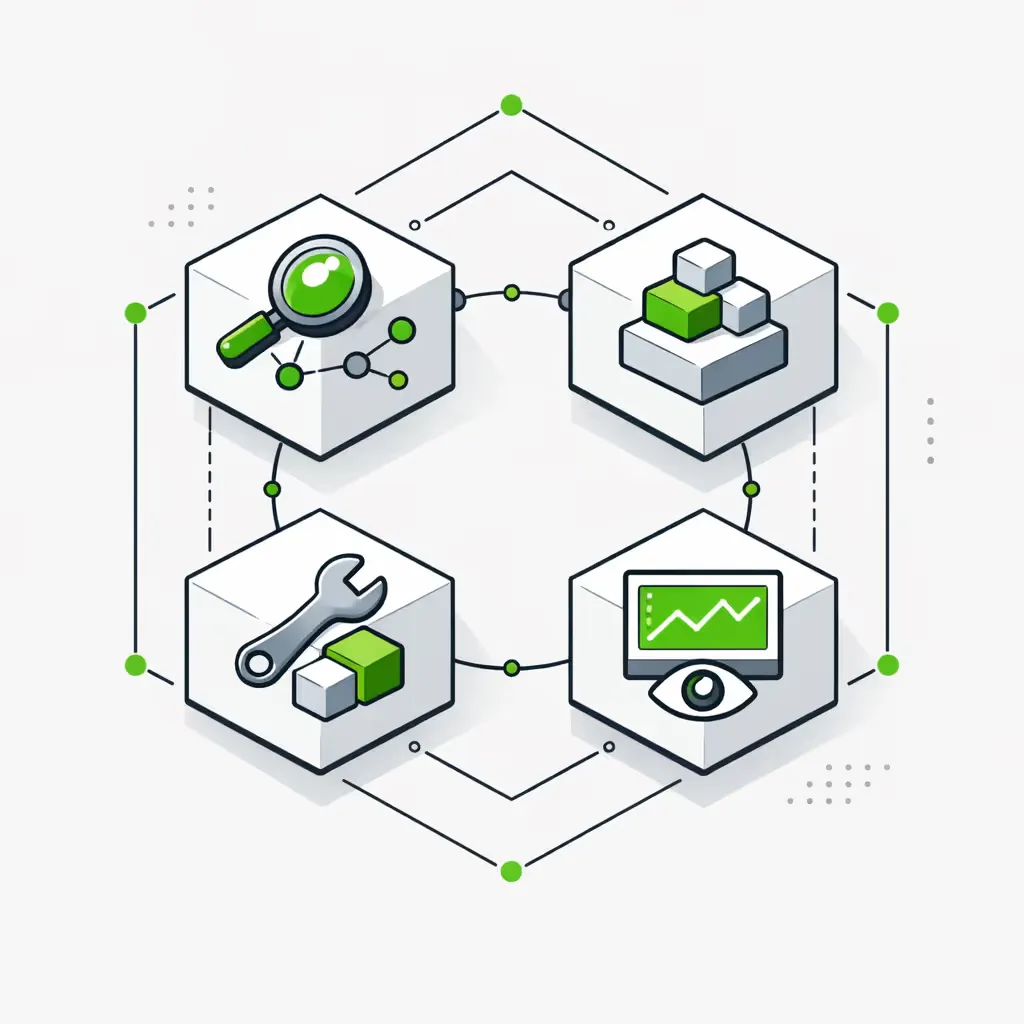
Four stages. We won't bury you in vector-DB jargon — you can read the diagram in five minutes.
- 1
Step 1. Connect Document Sources
We wire native connectors into Google Drive, Notion, Confluence, SharePoint, Egnyte, Dropbox — whichever stores your docs actually live in. OAuth-based, read-only, permission-aware. Nothing gets copied out of your accounts.
- 2
Step 2. Chunking & Embedding
Documents get split into semantic chunks (a section, not a page) and converted into vector embeddings. This is the part where 'retrieval-augmented generation' (RAG) actually starts mattering. Read <a href="/blog/what-is-rag-and-how-to-use-rag-ai-models-in-your-company">our RAG explainer</a> if you want the full picture.
- 3
Step 3. Vector Store + Retrieval
We use Pinecone, Weaviate, or pgvector depending on scale and self-hosting requirements. When someone asks a question, the system retrieves the 5-15 most relevant chunks across your entire doc corpus — respecting their permissions — before generating an answer.
- 4
Step 4. Grounded Answer with Citations
The retrieved context, the question, and a tight system prompt go to Claude or GPT-4. The model answers using only what it retrieved, cites the source, and explicitly says 'I don't know' when the context doesn't cover it. Hallucination drops to near-zero in our production deployments.
Where this beats a generic chatbot
Why This Beats Pointing the Team at ChatGPT
Grounded in your docs
Generic AI answers from the open internet — sometimes the public version of your industry, never the version that runs at your company. Ours answers from your actual SOPs. 'How do we expense client travel?' returns your policy, not a generic policy.
Respects permissions
ChatGPT Enterprise can't enforce 'only partners see partner docs'. Ours inherits permissions from Drive/Notion/Confluence. People see what they're already allowed to see — nothing more.
Cites sources
Every answer includes a link back to the source. People verify before they act. That's how knowledge bases survive past the first wrong answer — and the only way to get the team to trust it.
Learns its own gaps
When the system can't answer, it logs the question instead of guessing. Owners get a weekly 'questions we couldn't answer' digest — your SOP backlog, ranked by team demand.
Doesn't leak to public LLMs
Enterprise tier of Claude or GPT-4 with zero-retention. Or self-hosted Llama / Mistral for fully internal deployments. We architect for data-residency requirements from day one — not as a bolt-on.
Production Outcomes
What changes in 60-90 days
The Knowledge Base Backbone Module
One deep ingestion + retrieval module, plus two layers that connect it to the rest of your stack.
Knowledge Base Module
The production core that turns scattered docs into a queryable system:
Doc Ingestion
Native connectors to Drive, Notion, Confluence, SharePoint, Egnyte, Dropbox. Incremental sync — only changed docs reindex. OAuth read-only, no data copied out of your accounts.
Permissioned Retrieval
Per-user access enforced at retrieval time, not just at the UI layer. An associate's query physically can't return docs they don't have permission to read. SOC 2-friendly by design.
Slack/Teams Bot
The team queries where they already work. @mention, DM, slash command, or thread reply. Web widget available for use cases that need it (client portal, intranet).
Source Citation
Every answer carries a link back to the source doc and section. People verify before they act. This is the single biggest driver of team trust in the system.
Gap Tracking
Unanswered questions get logged with frequency. Weekly digest to owners shows the SOP backlog ranked by team demand. The system literally tells you what to document next.
Update Automation
When an SOP changes in Notion or Drive, the bot reindexes within minutes. No 'rebuild the knowledge base every quarter' migration step. The knowledge stays current automatically.
Custom AI Agents
The action half of the Agentic Knowledge category. Where the knowledge base answers questions, agents take action — drafting proposals from project history, triaging tickets, generating reports. See /systems/custom-ai-agents for the sibling module.
Integration Layer
Native-first connections into your doc stores, comms, ticketing, and HRIS. We respect existing permissions and audit logs — your security team sees every action the bot takes. No middleware platform, no shadow data store.
Stack Coverage
Tools We Use
Production-tested across document sources, vector stores, LLMs, and team surfaces. We pick per use case — there is no 'one right stack'.
Engagement
Every engagement starts with a Discovery Workshop to map your doc stores, permission model, and the top 10 questions the team asks repeatedly. From there we install the Foundation Knowledge Base, then move into ongoing Expansion under a retainer.
Pricing is calibrated for $1M+ service businesses, not enterprise SaaS budgets. We won't take the work if the scorecard math doesn't show payback inside six months.
- Foundation Knowledge Base build: $7K-$13K one-time, 28 days from kickoff to live
- Discovery Workshop: $2K, credited into the Foundation if you proceed
- Ongoing Backbone Expansion: from $3.5K/month — covers monitoring, reindexing, gap-tracking digest reviews, and new connectors as your stack changes
- Self-hosted LLM option: additional infrastructure cost, priced per scope
Compare to ChatGPT Enterprise math on /tools/roi-calculator — for a 50-person firm, our Foundation typically pays back inside 4 months on senior-bandwidth recovery alone.
Frequently Asked Questions
Common questions about internal AI knowledge bases.
Does this leak our data to OpenAI / Anthropic?
No — we use enterprise tiers of Claude and GPT-4 with zero-retention contracts, or self-hosted Llama / Mistral for fully internal deployments. Your docs never train the model. We architect for SOC 2 and data-residency requirements from day one, not as a bolt-on later.
Can it answer with the right permissions per user?
Yes — that's the entire point of grounded retrieval. The system inherits permissions from your doc stores (Drive, Notion, Confluence, SharePoint, etc.) and enforces them at retrieval time. An associate's query physically can't return docs they don't have permission to read. Per-channel scopes work the same way.
How does it know when an SOP changes?
Continuous incremental sync. When a doc changes in Notion or Drive, the system reindexes the changed sections within minutes. No quarterly migration step. The knowledge stays current automatically — that's the difference between a real production knowledge base and a one-off Loom-recording-of-an-LLM-demo.
Do we need to clean our docs before this works?
Not as much as people think. Modern retrieval handles messy docs better than you'd expect. We do recommend a half-day cleanup of the top-50 most-queried SOPs before launch — that's where 80% of the team's questions land. The system's gap-tracking will tell you what to clean up next.
Slack bot or web widget — which is better?
Slack or Teams wins almost every time, because the team is already there. Web widget makes sense for client-portal use cases, intranet integration, or compliance reasons. We usually ship Slack first, web widget second if you need it.
How accurate is it? What about hallucinations?
Hallucinations are near-zero in our production deployments because the system is constrained to answer from retrieved context only — and explicitly says 'I don't know' when context doesn't cover the question. That's the engineering discipline that separates production RAG from a generic chatbot. See how we use Flowwise to build AI agents for the architecture detail.
Can we self-host the LLM?
Yes. We've shipped self-hosted Llama and Mistral deployments for clients with strict data-residency requirements (regulated industries, government-adjacent work). Trade-off: higher infrastructure cost, slightly lower answer quality vs Claude / GPT-4 — but full data control. See our LLM comparison for the tradeoffs.
What's the cost difference vs ChatGPT Enterprise licenses?
ChatGPT Enterprise is $60/user/month — for a 50-person firm that's $36K/year, and it answers from the public internet. Our Foundation Knowledge Base is $7K-$13K one-time plus a $3.5K-$6.5K/month retainer, grounded in your actual docs, with permission inheritance. Most clients keep ChatGPT Enterprise for general AI work and use ours for company-specific knowledge.
How does this fit with /systems/custom-ai-agents?
The knowledge base is the passive half — it answers questions. Agents are the action half — they take action across your stack (drafting, triaging, reporting). Most clients install the knowledge base first because it's the grounding layer agents need. See /systems/custom-ai-agents for the action side.
Start here
Start with Your Efficiency Scorecard
The scorecard surfaces how much senior bandwidth you'd reclaim with a grounded internal knowledge base, which doc sources to wire first, and whether we're the right fit to install it. Ten minutes — actionable findings either way.
Or read the AI Chatbot for Business overview, browse /solutions/operations-automation for the operational layer it plugs into, or see our chatbot tooling guide for the build-or-buy math.
