What is Business Process Automation? A Plain Definition
Business process automation is software that runs your repeatable workflows end to end without human keystrokes. Here's what that means in practice.

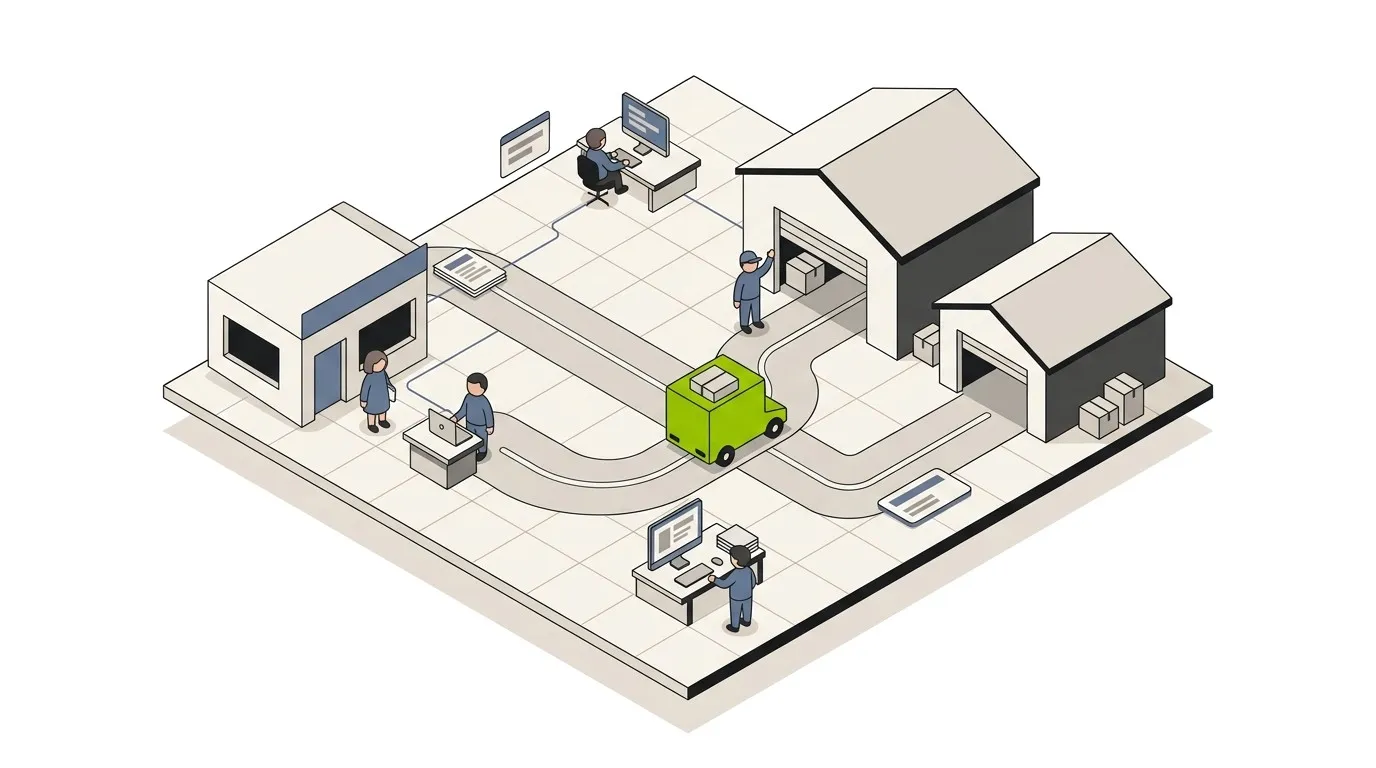
Business process automation (BPA) is the use of software to run a defined business workflow end to end - across systems and teams - without requiring a human to do the keystrokes.
That’s the whole definition. A process that used to involve people copying data between tools, sending status emails, filing approvals, and updating spreadsheets gets replaced by a workflow that does the same steps automatically. The humans stay in the loop where judgment matters. The clicking, copying, and chasing goes away.
This post is the short answer.
The shortest possible example
A new customer signs a contract in DocuSign. The legacy version of “what happens next” involves five different people:
- Sales rep emails operations
- Operations opens a ticket in the project tool
- Finance creates the invoice in QuickBooks
- Customer success creates an onboarding plan
- Marketing adds the contact to the nurture list
Each step is somebody clicking around for ten to thirty minutes. The whole sequence takes a day at best, three days when somebody’s in a meeting, and occasionally never finishes because step three got dropped.
The BPA version:
- DocuSign sends a webhook the moment the contract is signed
- A workflow creates the project, the invoice, the onboarding plan, and the marketing record in parallel
- Everyone gets a notification with the right link
- Total elapsed time: under a minute, zero human keystrokes
That’s BPA. Same outcomes, same data ending up in the same systems, no human moving information between tools.
What BPA actually includes
The term covers a wider range of tools than people realize:
- Workflow automation platforms - n8n, Make, Zapier, Workato, Power Automate. The connective tissue between SaaS apps.
- RPA (robotic process automation) - UiPath, Automation Anywhere, Blue Prism. Drives legacy desktop applications by simulating clicks and keystrokes.
- iPaaS (integration platform as a service) - Boomi, MuleSoft, Workato. Enterprise-grade integration with governance and monitoring built in.
- Business rules engines - Drools, Camunda, the rules layer in CRMs. Encodes the decision logic that runs inside a workflow.
- AI automation - workflow automation plus large language models for the judgment steps. Covered separately in our AI automation guide.
Most real-world BPA programs use two or three of these in combination. The mix depends on whether your systems have modern APIs (workflow automation works) or legacy UIs (you need RPA for some steps).
What it isn’t
A few things people conflate with BPA that aren’t quite the same:
- A macro or a script. A macro automates one application. BPA automates a process across many.
- A chatbot. A chatbot is a UI for a human-to-software conversation. BPA runs the process behind the scenes.
- AI by itself. AI is a useful component inside an automated workflow, but a model without a workflow around it is a tool, not an automation.
- Digital transformation. Digital transformation is the whole organizational change. BPA is one of the things you do as part of it.
The distinction matters because the budgeting, staffing, and timelines for each are different. You can spin up a BPA workflow in a week. A digital transformation program is a multi-year effort.
The four ingredients of every BPA workflow
Look inside any production automation and you find the same four pieces:
- A trigger. Something starts the workflow - a webhook, a schedule, a new row in a database, a file in a folder, a user clicking a button.
- Connections to systems of record. The workflow has to read from and write to wherever the data actually lives: CRM, ERP, billing system, project tool, file storage, email.
- Logic. Branches, loops, validations, transformations. The rules that decide what happens to which input.
- Observability. Logs, alerts, retries. So when something breaks - and at some point it will - somebody knows and can fix it.
If any of these four is missing, you don’t have production BPA. You have a fragile experiment.
Where BPA pays back fastest
In the work we do with mid-market companies, the highest-ROI candidates have three properties in common:
- High frequency. The process runs many times per week. A weekly task that takes an hour saves you 50 hours a year. A daily task that takes 30 minutes saves you 125. Volume is what makes the payback math work.
- Rule-driven. The decisions can be captured in code, even if there are dozens of branches. If every single case requires human judgment, it’s not a BPA candidate yet.
- Error-prone. Manual processes accumulate small mistakes that cost money downstream. Bad invoice line items. Mislabeled records. Missed deadlines. BPA’s biggest win is often the errors it prevents, not the time it saves.
Our Automation Discovery Week walks through your specific workflows and identifies which ones match this pattern. It is one week of work and the highest-leverage starting point we can offer. If you would rather have someone map the whole operation and rank the candidates for you, that is what AI automation consulting is.
Common BPA use cases by function
The patterns are remarkably consistent across companies of similar size and shape.
Finance. Invoice creation from completed work. Three-way matching for accounts payable. Bank reconciliation. Expense report routing and approval. Month-end close checklists. See finance automation.
Sales. Lead enrichment and routing. CRM hygiene (deduplication, normalization, follow-up reminders). Quote-to-cash sequences. Pipeline reporting rollups. See sales automation.
Marketing. Lead nurture flows. Campaign reporting. UTM-to-CRM attribution. Content distribution to multiple channels from a single source. See marketing workflow automation.
Customer support. Ticket triage and routing. SLA monitoring and escalation. Knowledge base updates from resolved tickets. Customer satisfaction follow-ups. See customer support automation.
Operations. Order fulfillment workflows. Inventory sync across systems. Vendor onboarding. Internal service requests. See operations automation.
HR. Onboarding and offboarding sequences. PTO request routing. Performance review reminders. Document generation from templates.
Each of these is a category, not a single workflow. Most companies will have five to fifteen automated workflows in each area when their BPA program is mature.
How BPA differs from RPA
This is the most common point of confusion. The short version:
- RPA drives existing applications by simulating a user - moving the mouse, typing into fields, clicking buttons. Best for legacy systems that don’t have APIs. No judgment, just keystrokes.
- BPA (workflow automation) connects systems via APIs and webhooks. Modern, faster, more reliable. Best for cloud-era stacks.
Most production environments use both. The modern systems get hit via API; the one or two ancient ones get driven via RPA. The orchestration layer above them is the same.
For a deeper take on where each fits, see our writeup on automating purchase orders.
What BPA costs
Two numbers matter: build cost and run cost.
Build cost. A single end-to-end workflow built to production standards typically runs $5K-$15K. A multi-system automation layer - say, the connective tissue across CRM, billing, project management, and email - runs $30K-$80K. The variance is almost entirely about how many systems need to connect, not how complex any one workflow is.
Run cost. Two parts. Software licenses are usually $50-$500/month for the workflow platform itself. Maintenance - somebody watching the workflows and fixing them when APIs change or business logic evolves - runs $1,000/month minimum for a small program, more for larger ones. You can do this in-house if you have the capacity or use a retainer.
Run your specific numbers through our ROI calculator or workflow cost calculator to see the payback math on your situation.
How long it takes
A focused single-process automation: two to six weeks from kickoff to production. The wide variance is about how clean the data is and how cooperative the source systems are. APIs that are well-documented and stable cut that time in half.
A full BPA program covering 10-20 workflows across four to six functions: three to six months for the first wave, then continuous improvement after that. The first wave is the steep part - once the integration plumbing exists, adding workflows accelerates.
The slow parts are rarely the technology. They are: getting access to systems, agreeing on standard data formats, getting decisions from stakeholders, and managing the change with the team that will use the new system.
Why BPA projects fail
In our experience, in this order:
- Automating a broken process. If three teams do the work three different ways, automation will codify all three. Standardize first, then automate.
- Skipping observability. No alerts, no logging, no monitoring. First time something breaks silently, the business loses trust and the program stalls.
- No owner. Workflows that nobody owns rot. Six months later they’re broken and nobody knows.
- Picking the wrong first project. Building something flashy instead of something high-volume. The team gets impressed once and never feels the compounding ROI.
- Tool-first thinking. Picking a platform before mapping a single process. You end up building to the platform’s strengths instead of the business’s needs.
For a fuller list, see our piece on automation mistakes to avoid.
When BPA is the right answer
You have a strong BPA case if:
- A specific workflow runs daily or weekly and consumes meaningful staff time
- The work is currently being done across multiple SaaS tools that have APIs
- There’s a clear owner who cares about the outcome
- Errors in the manual version cost real money downstream
- You can describe the process in flowchart form without too many “it depends”
If you’re checking three or more of those, the math is almost certainly there. The question is which workflow to start with, not whether to start.
Related reading
- Business process automation best practices - what mature programs do differently
- Which processes to automate first - the scoring framework
- What is AI automation? - the AI-augmented version of BPA
- The complete n8n automation guide
If you’re trying to figure out where BPA will pay back fastest in your business, the most efficient starting point is our Automation Discovery Week. One week, from $2,000, and you keep everything it produces regardless.