Events and conferences
How four global conferences stopped building their programs by hand
Program-at-a-glance timetables and full session programs, generated from Airtable in minutes
- 1 week to 2 hoursto produce a 78-page program, checks included
- 400+sessions per event, regenerated on demand
- 11document versions from a single form
What we built
- One form to generate any program document
- Program-at-a-glance timetable as print-ready PDF
- Full session program in Final, Internal and Sessions-only editions
- Editable Google Slides output
- Shared stage order and colour config
- Event-week change support
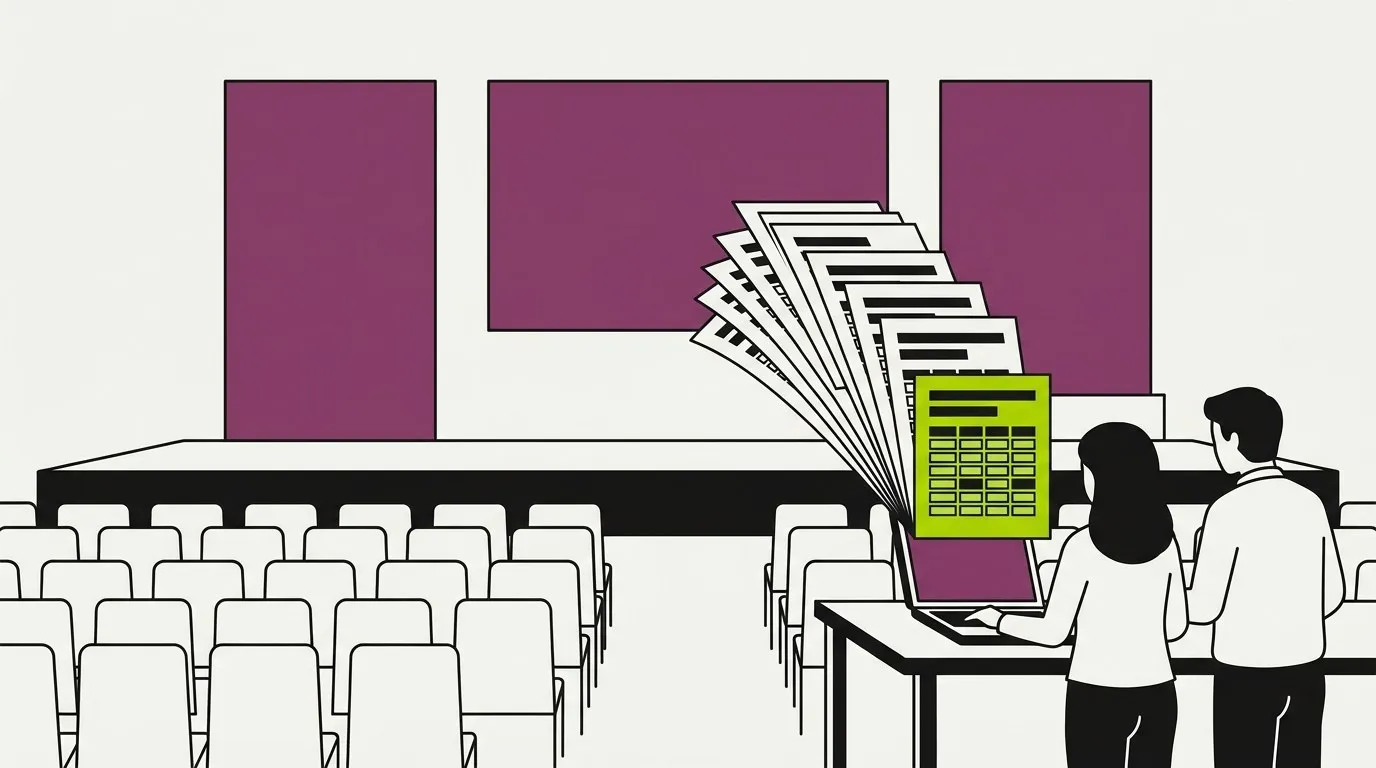
These engagements are covered by non-disclosure agreements. The organizers, conferences and people are not named, and no real program data appears anywhere on this page. The workflow screenshots are lookalikes rebuilt for this page, and every other image uses demo data.
The situation before we showed up
Picture one of the conferences on this page. Two or three days, more than 9,000 attendees, several stages running in parallel. What attendees see is a few days. Behind it are months of daily work by a program team.
The teams already kept their program in Airtable: sessions, stages, times, speakers and each speaker’s status. That part was well run. The trouble was what happened next. Every day the team needed documents out of that data: program drafts to circulate, speaker status views to chase confirmations, and program-at-a-glance timetables that fit the whole schedule onto a few screens so it could be planned.
Airtable held the data. People built the documents, by hand, every day.
What was breaking
- Every draft was rebuilt from scratch.
Session titles, descriptions and the speakers mapped to each session were copied into the document one by one, for hundreds of sessions. - The tracker and the document drifted apart.
When a speaker’s name or title changed in the tracker, someone had to remember where that speaker appeared in the program and fix it there too. - Version control lived in people’s heads.
Which draft went to which stakeholder, and what changed since, was a question of memory. - Fifty pages never quite lined up.
Hand-built layouts drift. A card a few pixels off on page 34 is exactly the kind of thing a client notices. - The busiest week carried the most risk.
Programs change most in the days before the event, which is precisely when nobody has time to rebuild a document.
"I was the one spending hours every day, just trying to update those programs and making sure they were uniform."
Program manager, events consultancyThe data was never the problem. It was already clean and structured. The bottleneck was the last step: turning a table into a document a person would print, circulate or put on a screen.
What we built
A way for anyone on the program team to pick a document and get it back, finished, in a few minutes. The output is either an editable Google Slides deck, so the team can still adjust wording before it goes out, or a print-ready PDF. Both land in a shared Google Drive folder.
A form anyone on the team can use
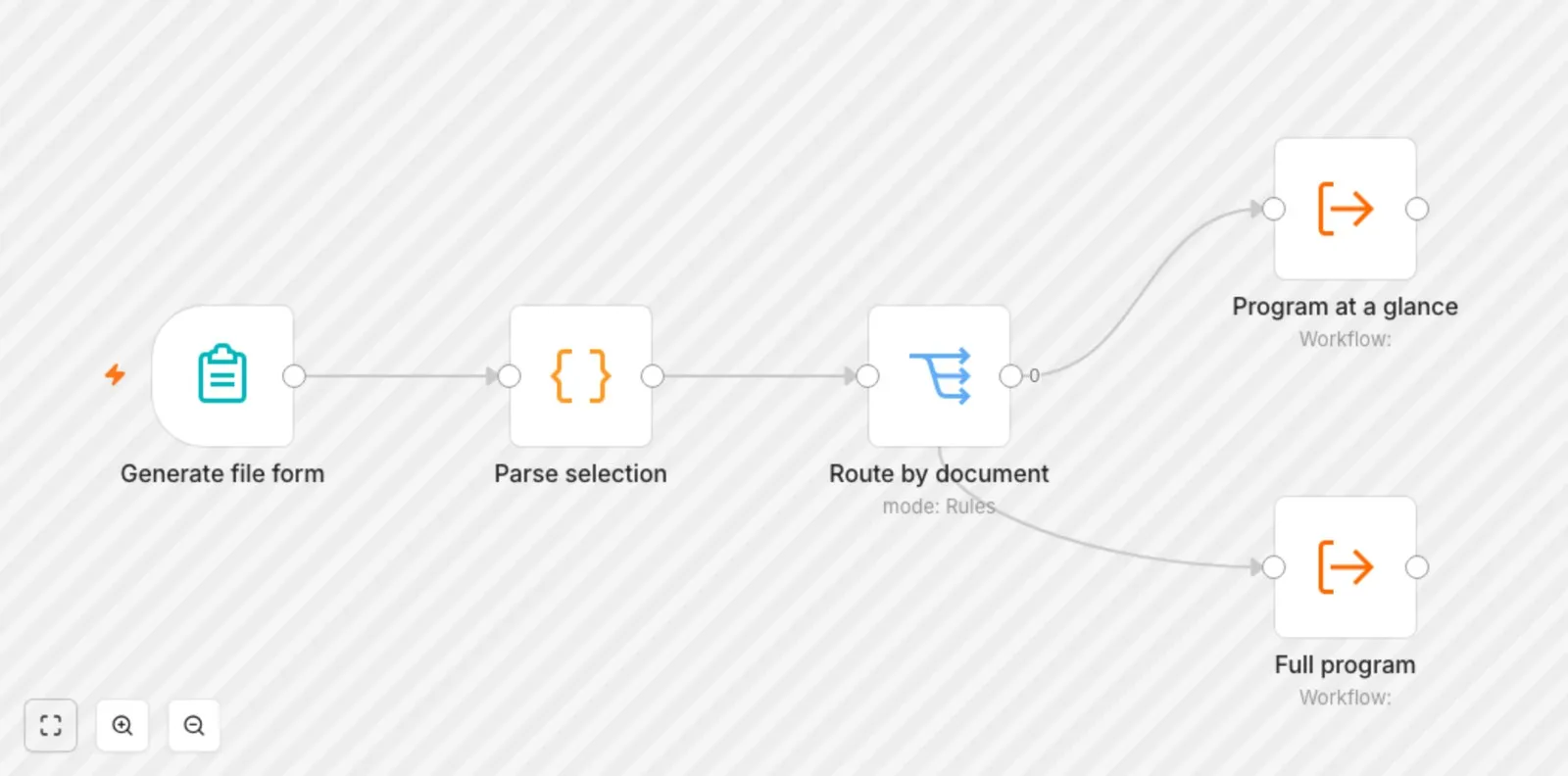
The whole system sits behind one form with a single dropdown: which document do you want. The options cover every combination the team actually used:
- The edition: Final, Internal, or Sessions only
- The orientation: horizontal or vertical
- The track: plenary stages or workshop labs
- Or the program at a glance, as its own option
That is eleven documents from one question. Behind the form, the choice is parsed and routed to the right generator with the right settings. Adding a new option means adding it to the dropdown; the routing does not change.
The program at a glance
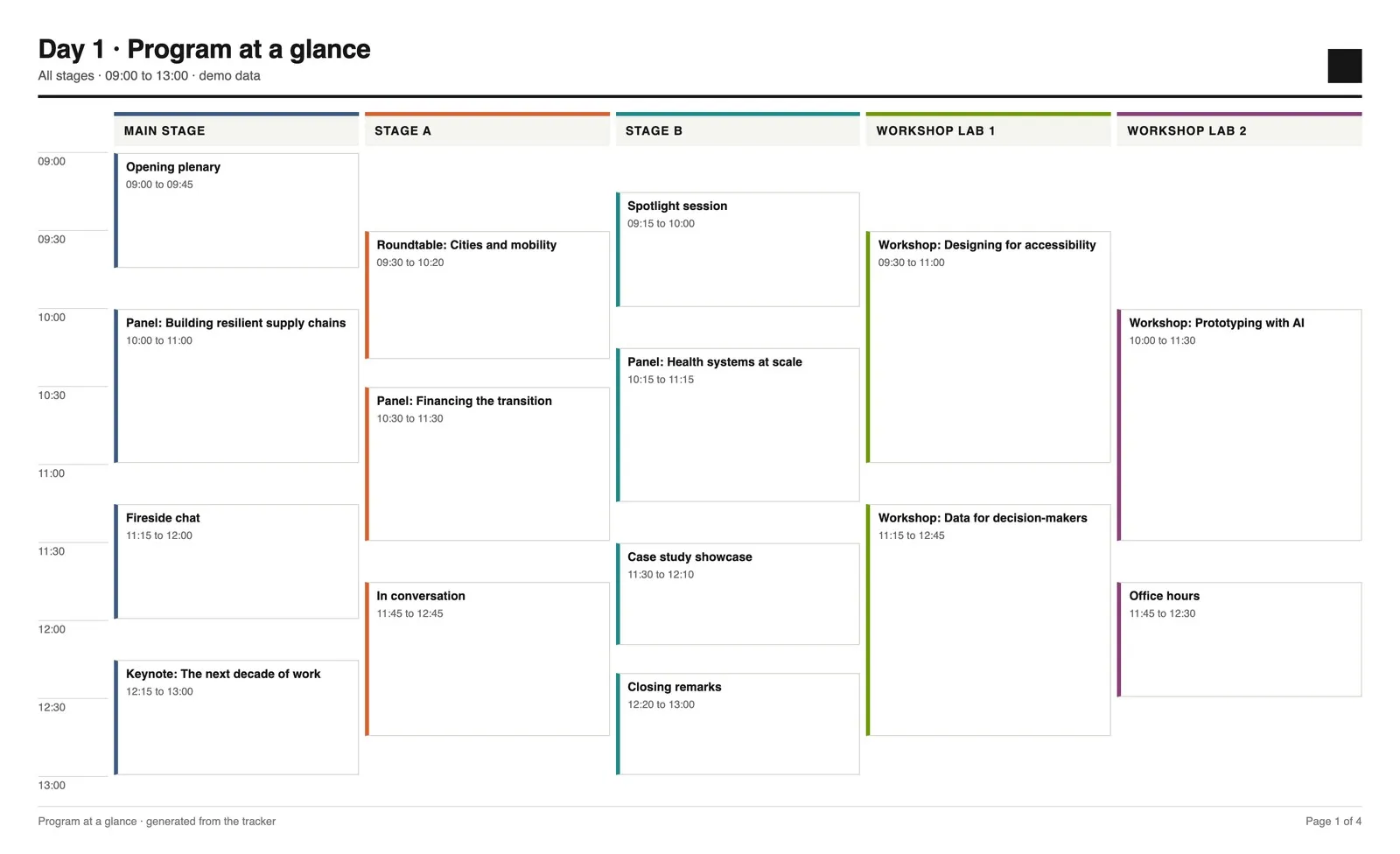
The at-a-glance timetable puts every stage side by side on a single time grid, so the team can see the whole day at once and spot collisions before they happen.
- A real time grid. Sessions snap to five-minute rows with a time label every half hour, so a 20-minute talk and a 90-minute panel take up honest amounts of space.
- Pages that stay readable. The layout balances how many stages and how many hours share a page, so a busy afternoon splits across pages instead of cramming twelve narrow columns together.
- No session is ever cut in half. When a session would overflow a page, the page ends just before it starts.
- Built for print. Stage headers repeat at the top of every printed page and each stage keeps its colour from start to finish.
The full program, in three editions
The full program carries everything: session titles, times, full descriptions, and the speakers and moderators for each session with their titles and organizations.
- Final is the public layout, ready to share.
- Internal marks every speaker as confirmed or not yet confirmed, in green and orange. That turned the daily speaker status check into something the team generated rather than compiled.
- Sessions only strips the program back to titles and descriptions for content review.
Within each day and stage, sessions sort by start time, and day title pages slot in automatically before each day begins.
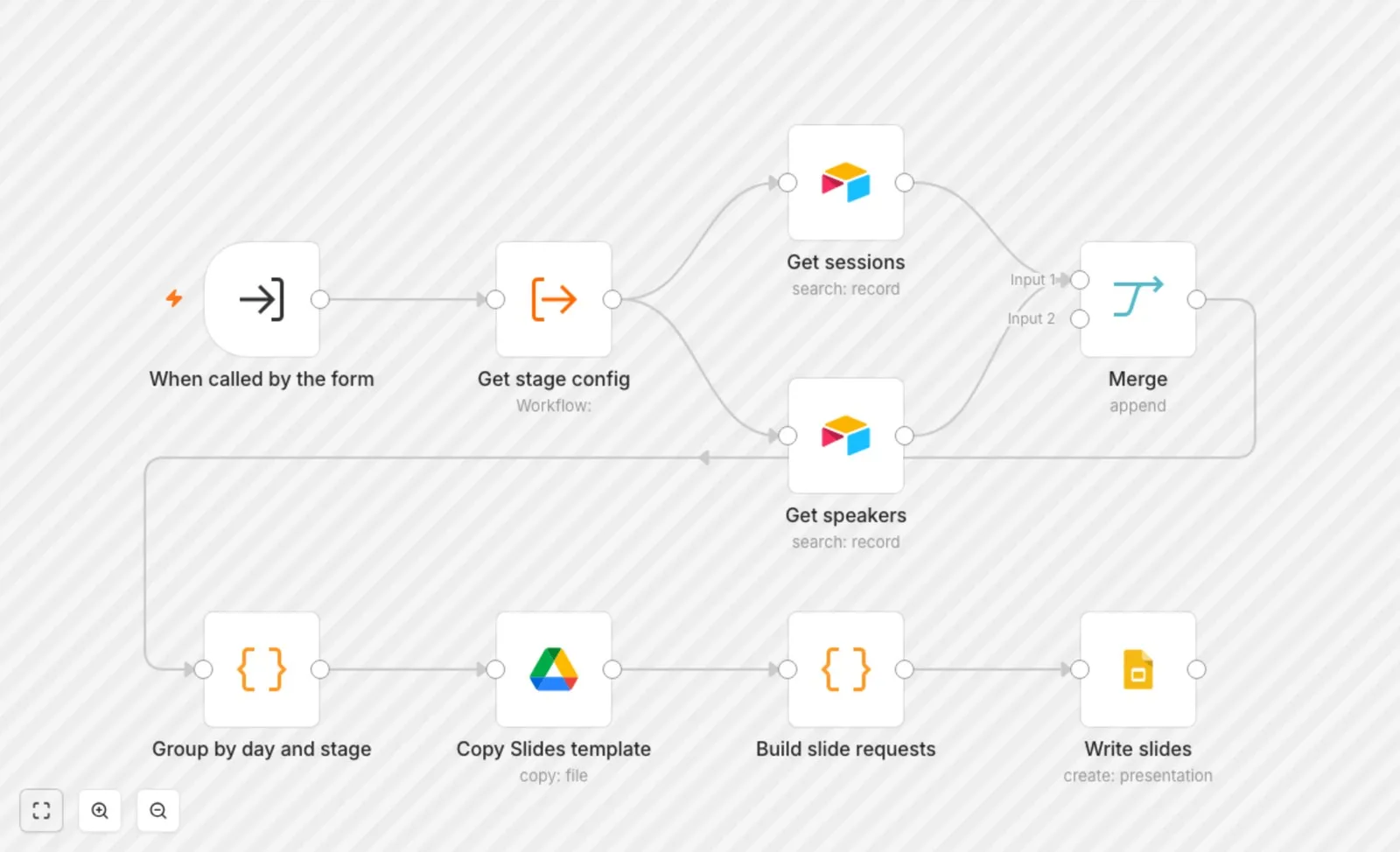
One config behind every document
Stage order and stage colours live in one shared configuration that every document reads. Change the running order once and the at-a-glance timetable, the Final program and the Internal program all agree the next time they are generated.
The template holds the design and the data holds the content. Keeping the two apart is what makes a regenerated document look identical to the last one, and what lets a brand refresh happen in one place.
Where SourceToDocs fits
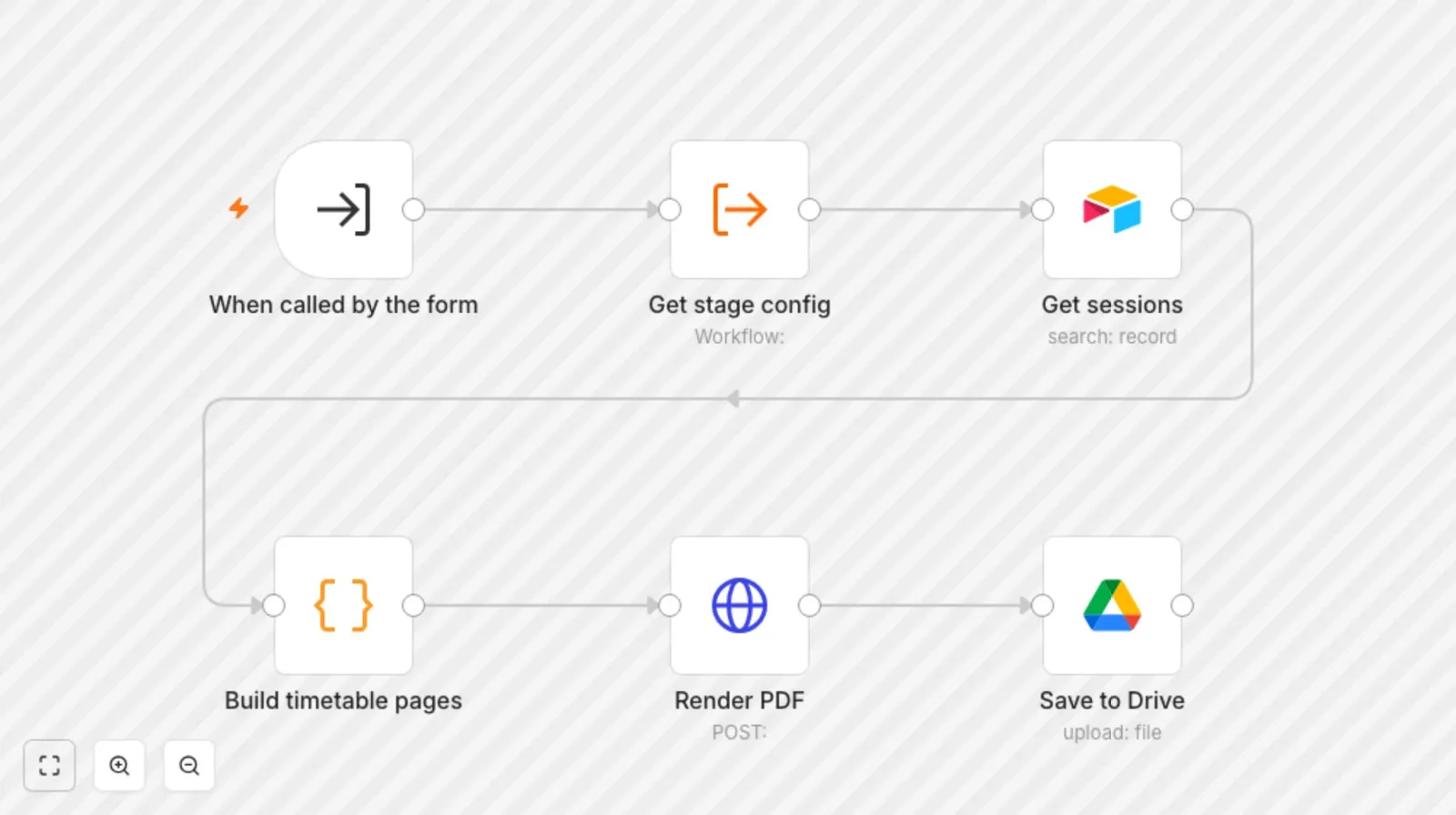
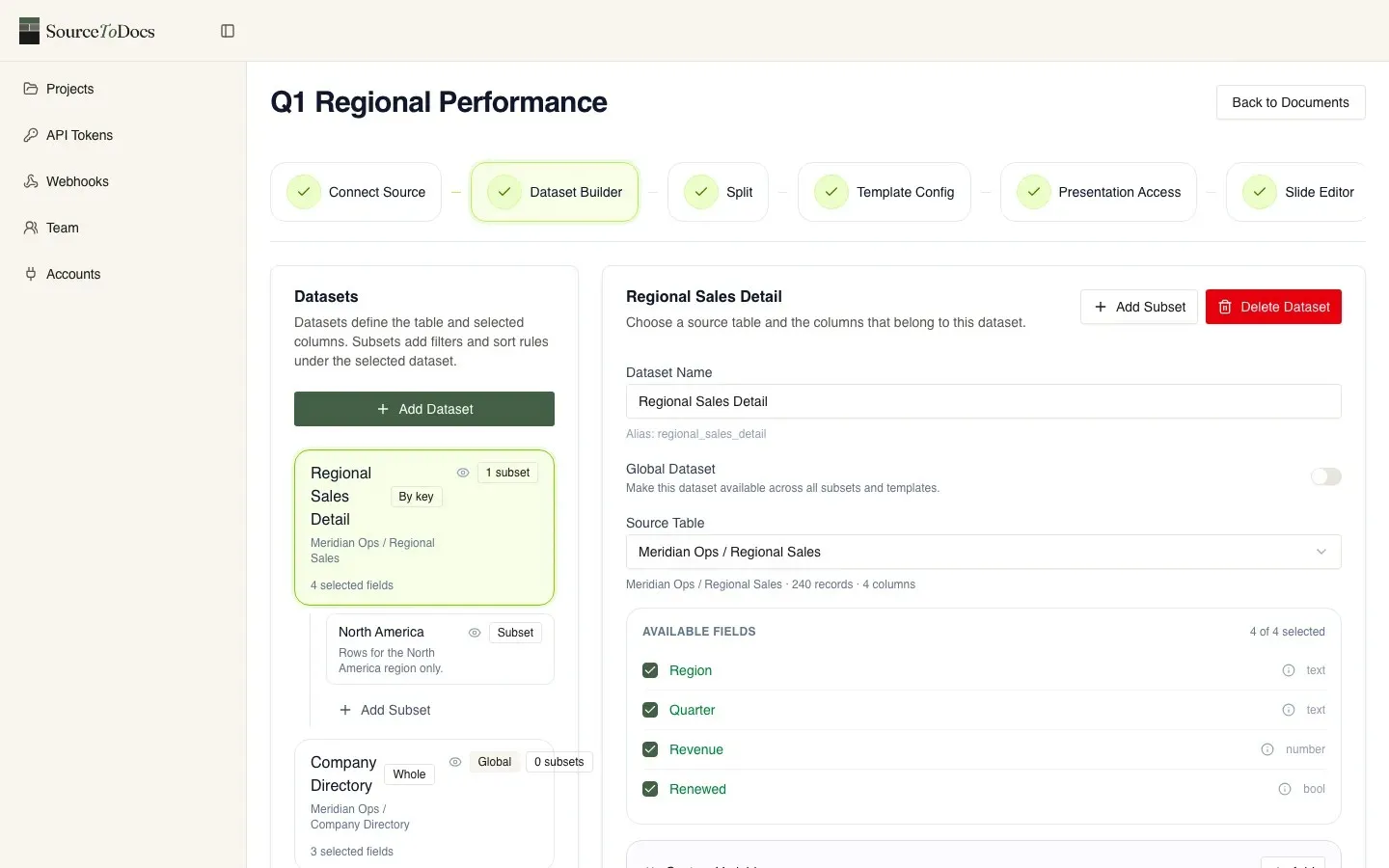
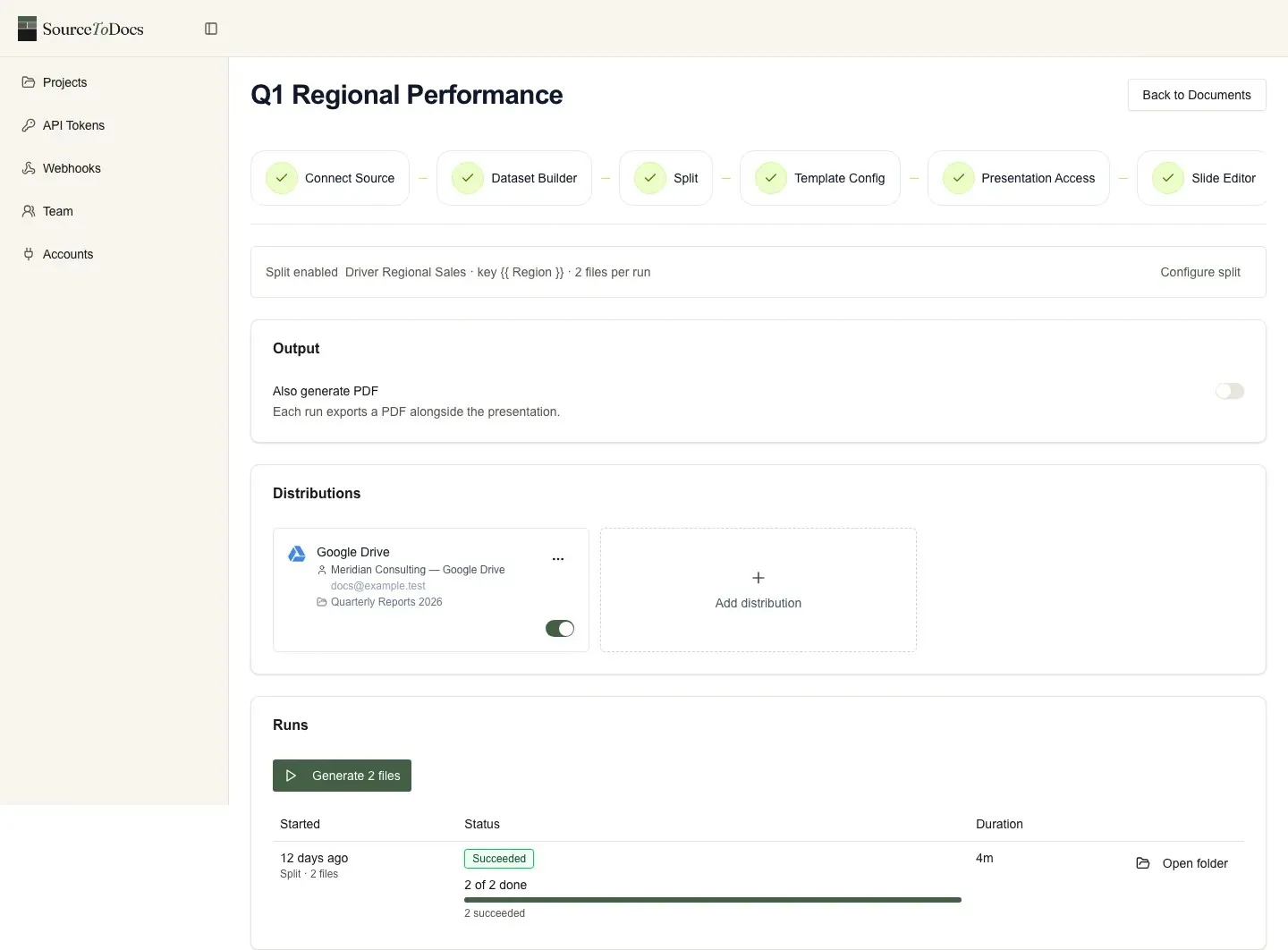
Part of this work ran directly in n8n: the workflows read Airtable, built the pages through the Google Slides API, and rendered the at-a-glance timetable to PDF. Part of it ran through SourceToDocs, a document generation platform that takes datasets from Airtable, fills a Google Slides template and delivers the finished file to Drive. n8n still handles the trigger and the routing either way; SourceToDocs takes over the document step, which means the template can change without anyone touching workflow code.
Event week
Programs change most in the days before doors open, so that is when the system earned its keep.
In the run-up to one event, production added a new stage that existed only on the opening day. A few days later, three more stages replaced existing ones for that day alone, and had to keep the same colours they used on every other day. An Airtable field changed type. Each change went into the shared configuration or the data, and every document picked it up, within hours.
Before
A late change meant finding every document it touched and rebuilding the affected pages by hand, during the most crowded week of the year.
After
Update the tracker, regenerate, check. The program team spent event week on the program rather than on the document.
The numbers
Reported by the program teams we worked with.
A 78-page program, before and after
Before
Almost a week of focused work to assemble a program of that size by hand, and more every time it changed.
After
About two hours in total: generate the document, then cross-check and make small formatting tweaks. Because it pulls straight from the tracker, those checks rarely find anything wrong.
Documents like these were produced every day over months of preparation. Across that period the time returned to program teams ran into hundreds of hours.
"The workflows they built are fast, reliable, and scalable, creating a system we will continue to use for future events."
Program Manager, global conferenceWhy this matters beyond one event
The next edition started from a working system
Two of the four conferences were consecutive editions of the same annual event. The second edition did not start from zero: new templates and a new set of stages, on a pipeline that already worked.
What it changes for an agency or a consultancy
Program work is often run by a consultancy on behalf of the organizer, which means the cost of assembling documents by hand is ultimately carried by the client. Automating it can go either way: lower that cost, or raise what the service is worth. The program manager we spoke with estimated it freed up roughly half of a junior team member’s time on a months-long project.
They were also clear about how to win that argument:
"Start early and let the client see the value. The moment they see a program generated that's really beautifully designed, so clean, that's the moment."
Program manager, events consultancyThe side effect worth having. A system that generates documents from the tracker rewards a clean tracker. The teams told us the biggest change in how they worked was focusing on one place, the data, and letting everything else follow from it.
They built a custom n8n and Airtable automation that dynamically generates our multi-day global conference program with session details, speaker information, and design formatting into editable Google Slides and PDF outputs, delivering a tool that saves us countless design hours and ensures consistency across all outputs.
More client stories
 Facility Services - Fire Safety Compliance
 How Fire Plan Strategies Eliminated 230 Manual Hours a Month
~230 hrs / monthManual ops time eliminated
Lead intake, quotes, invoicing and certificates, automated
Read the story"This is music to my ears. Our accountant is definitely going to love this because she's not going to have to do invoices anymore. The admin staff is also..."
 Championship Ring Manufacturing
 Signature Champions: From Spreadsheet Chaos to Automated Revenue
300+ hrs / monthManual ops time eliminated
Custom software development and automation
Read the story"300+ hours of manual work eliminated every month. Recurring processes that ate our team's time are gone entirely."