
Zapier to n8n migration, done for you
For teams whose Zapier or Make bill and limits have outgrown the work they run. We inventory every Zap, rebuild it in n8n, run both side by side on real data, and switch only when the results match.
A Zapier to n8n migration is a rebuild. Each Zap is recreated as an n8n workflow, tested next to the live Zap on real data, and switched over one at a time, so nothing stops while you move. We do that work for you, in your own n8n account. If you would rather do it yourself, our step-by-step migration guide covers the DIY route.
- Who it is for
- Businesses past $1M in revenue running Zapier or Make, from a handful of Zaps to a sprawl nobody has audited
- What we do
- Inventory, mapping, rebuild, parallel run, cutover, decommission. You approve each switch
- Price
- $6,000 to $24,000 per project, quoted before it starts
- Timeline
- A small set moves in a week or two; larger, complex accounts take longer
- Who owns it
- You. It runs on self-hosted n8n or n8n Cloud, in your account
You have outgrown Zapier
Most teams do not leave because Zapier is bad. They leave because the bill grows with every action, the logic gets harder to express, and the data sits on someone else’s servers.
Pricing that scales against you
Zapier bills per task: each successful action step in each run. n8n bills per execution: one run of the whole workflow, however many steps it has. Add a step to a busy Zap and the bill moves; add a node in n8n and the count does not.
Control over your data
Zapier runs only in Zapier’s cloud. n8n can run on a server you control, so customer and financial data stays inside your own infrastructure when compliance or clients require it.
Logic that outgrew linear Zaps
Loops, many-way branches, sub-workflows, error paths and real JavaScript or Python in a Code node. What needed three chained Zaps and a Storage step often becomes one readable n8n workflow.
AI steps and agents
n8n has agent, memory and tool nodes, and it can call any model API. That matters if the next thing you want to automate involves reading documents or triaging requests. See our AI agent development work.
The honest counterpoint: Zapier connects to more apps out of the box, and self-hosted n8n makes someone responsible for updates and backups. If you run a few simple Zaps, stay where you are. The comparison is laid out in n8n vs Zapier.
How Zapier, Make and n8n count what they bill
Before anyone estimates a saving, count the right thing. Several migration write-ups say every Zapier step costs a task, including filters, formatters and failed runs. Zapier’s own pricing page says otherwise, as of November 2026:
- Billed by Zapier: each successful action step, including Code by Zapier and AI by Zapier steps. A Code step that runs past 30 seconds uses an extra task per 30-second block.
- Not billed by Zapier: triggers and polling, Filter, Paths, Formatter, Delay, Looping, Sub-Zap, Digest and Storage steps, and actions that fail.
- Billed by n8n: one execution per run of the whole workflow, with unlimited steps, according to n8n’s pricing page. Self-hosted Community Edition has no execution fee at all; you pay for the server and the time to keep it patched and backed up.
- Billed by Make: credits, where each module action uses credits; routers and error handler modules do not, per Make’s pricing page.
So the gap between the two models depends on how many billed actions each run makes. A Zap with one action costs about the same on either model. A Zap with five or six actions running thousands of times a month is where per-task pricing hurts.
What a mid-sized Zapier account costs on each model
Illustrative numbers for a made-up business, priced from the official Zapier and n8n pricing pages checked in November 2026. Your counts will differ; the method will not.
Take an operations team with three Zaps:
| Zap | Steps | Billed tasks per run | Runs a month | Tasks a month | n8n executions |
|---|---|---|---|---|---|
| New order to invoice | Webhook trigger, find customer in CRM, Filter, Formatter, create invoice, update CRM deal, post to Slack, email the customer | 5 (the trigger, Filter and Formatter are free) | 4,400 (200 orders a day, 22 working days) | 22,000 | 4,400 |
| Lead routing | Form trigger, enrichment lookup, Paths, create CRM contact, notify the owner in Slack | 3 | 1,500 | 4,500 | 1,500 |
| Daily summary | Schedule trigger, read a sheet, send an email | 2 | 30 | 60 | 30 |
| Total | 26,560 tasks | 5,930 executions |
On Zapier: 26,560 tasks is over the 20,000-task tier, so the account sits on the 50,000-task tier: $289 a month on Professional or $399 a month on Team, billed annually. That is $3,468 or $4,788 a year. Staying on the 20,000 tier with pay-per-task turned on is the other option; Zapier bills the overflow at 1.25 times the base task rate on annual plans and 2.5 times on monthly plans.
On n8n Cloud: 5,930 executions fits the Pro plan’s 10,000 a month, listed at $50 a month billed annually (checked November 2026), or $600 a year. Self-hosted: no execution fee; the cost is a server from your hosting provider plus someone’s time for updates and backups.
The difference: against Zapier Professional, about $2,870 a year ($3,468 minus $600). Against Team, about $4,190 ($4,788 minus $600).
In this example, the subscription saving alone would take around two years to cover even our smallest project at $6,000. The case gets stronger when volume is higher (the gap grows with every billed action per run), when Zaps keep breaking or need logic Zapier struggles with, or when data has to stay on your servers. If none of those apply, a migration may not be worth it yet, and we will say so.
To run this on your own account, export your Zap list with task usage, count billed actions per run, and multiply by runs. Our automation ROI template helps you put the numbers side by side, and our n8n pricing breakdown covers the n8n plans in more detail.
The logic carries over. The wiring changes.
Every Zap element has an n8n equivalent. Some map one to one; others change shape. These are the details a DIY migration most often misses.
| In Zapier | In n8n | How hard |
|---|---|---|
| Trigger (app event, schedule) | App trigger node or Schedule Trigger | Easy |
| Action in a popular app | The app’s native node | Easy |
| Action in an app with no n8n node | HTTP Request node against the app’s API, or a custom node | More work |
| Filter and Paths | IF and Switch nodes, with as many branches as you need | Easy |
| Formatter | Edit Fields, Date & Time, or an expression; a Code node for hard cases | Medium |
| Code by Zapier | Code node, JavaScript or Python, with no per-step task charge | Medium |
| Webhooks by Zapier | Webhook node, which gives a new URL; every system posting to the old one must be updated | Medium |
| Delay and Looping | Wait node; n8n processes lists item by item, or Loop Over Items | Easy |
| Sub-Zap | A sub-workflow called with Execute Workflow | Medium |
| Connected accounts | New credentials in n8n. Tokens never transfer, so every OAuth connection is re-authorized | Medium |
| Storage and Zapier Tables | A database or sheet you own (Postgres, Airtable, Google Sheets) | Rebuild |
| Interfaces forms and pages | n8n Form Trigger for simple forms; a small custom front end for anything more | Rebuild |
| Zap run history | Does not move. Export what you need for audit before the account closes | Archive |
The rebuild is also the moment to consolidate. Three or four linear Zaps that hand data to each other through Storage usually become one n8n workflow with branches, which is cheaper to run and easier to read.
How we migrate Zapier to n8n, step by step
No big-bang switch. Each workflow moves on its own, and the Zap keeps running until its replacement has proven itself.
- 1
Inventory
We list every active Zap or scenario: trigger, steps, filters, paths, code, webhooks, connected accounts, monthly task volume, and who depends on it. Dead and duplicate Zaps are marked for retirement instead of being rebuilt.
- 2
Mapping
Each Zap is mapped to its n8n design: which Zaps merge, which steps change shape, which apps need the HTTP Request node, and what moves first. High-volume, business-critical workflows usually go first because they pay back most. You approve the plan before we build.
- 3
Rebuild
We build each workflow in your n8n with error handling, retries and alerts from the first day, split into small sub-workflows rather than one giant canvas, and document it in plain language.
- 4
Parallel run
The n8n version runs next to the live Zap on real data for several days. We compare outputs record by record. Nothing switches until they match and you sign off.
- 5
Cutover
We point external systems at the new webhook URLs, move the live trigger to n8n, pause the Zap, and watch the first production runs closely.
- 6
Decommission
Once the n8n workflow has been stable for an agreed period, the paused Zap is deleted, run history you need is exported, and unused connections are revoked. Then you can downgrade or cancel the Zapier plan, timed to your renewal if you pay annually.
What can go wrong in a migration, and how we prevent it
Duplicate records during the parallel run
If both the Zap and the n8n workflow write to your CRM, every lead appears twice. During the parallel run only one side writes to production; the other writes to a test copy or logs what it would have done. Workflows that create records check a unique ID first, so a retry cannot create a second copy.
A rollback point for every workflow
The Zap is paused at cutover and kept. If the n8n version misbehaves, the Zap is switched back on in minutes while we fix it. Deletion only happens in the decommission step, after the agreed stable period.
Silent failures
Every workflow gets an error path and an alert to the people who care, so a failed run is seen the same day instead of discovered at month end. We test the failure cases too: missing fields, an API that is down, a rate limit.
Forgotten senders
Forms, payment tools and partner systems that post to old Zapier webhook URLs are listed in the inventory and updated at cutover, so no event lands on a dead address.
Make to n8n migration works the same way
Make scenarios are closer to n8n than Zaps are: both are visual and branch freely. The method is identical; the mapping is different.
| In Make | In n8n |
|---|---|
| Scenario blueprint (JSON export) | Our reference for the rebuild; converters can turn it into a draft workflow |
| Router and filters | Switch and IF nodes |
| Iterator and aggregator | n8n handles lists item by item natively; Split Out and Aggregate nodes where needed |
| Data stores | A database or sheet you own |
| Error handlers (Break, Resume, Ignore, Rollback) | Retry settings per node, error outputs, and an Error Trigger workflow |
| Connections | New n8n credentials, re-authorized |
The cost reason is similar: Make bills credits per module action, n8n bills per run. For the platform comparison, see n8n vs Make.
Why a converter only gives you a draft
Several community tools now turn a Zapier export or a Make blueprint into n8n JSON you can import. They save typing on a long list. What they cannot do is the work that decides whether the migration holds up in production:
- re-authorize every connected account in n8n;
- give each workflow error handling, retries and alerts;
- update every system that posts to an old webhook URL;
- merge Zaps that should have been one workflow;
- test the result against what the Zap actually did, on real data, before anything switches.
| Route | What you get | Who handles testing and cutover |
|---|---|---|
| Converter tool | A draft workflow per Zap | You |
| DIY rebuild | Whatever your team builds, at your team’s pace | You |
| 2V, done for you | Tested workflows in your account, documented, with error handling | We do, with your sign-off on every switch |
Self-hosted n8n or n8n Cloud, your choice
Self-hosted n8n
n8n on a server in your own cloud account. No execution fee, full control over where data lives, and private-network access to internal systems. Someone owns updates, backups and monitoring; we set that up properly and document it. More on self-hosted n8n setup.
n8n Cloud
n8n runs the servers; you pay a plan sized by executions. Quicker to start and nothing to patch. A good fit when volume is moderate and no rule requires data on your own infrastructure.
Either way it runs in your account, with no 2V platform in the middle. We recommend one during the inventory based on your volume, security needs and who will look after it.
How long it takes and what it costs
How long
It depends on how many Zaps you have and how tangled they are. A small set moves in a week or two; larger, complex accounts take longer. Code steps, Paths, apps without an n8n node and webhooks shared by many systems add time. You get a timeline after the inventory.
What it costs
A migration is priced like any of our projects: $6,000 to $24,000, quoted before it starts, so the number you approve is the number you pay. The range moves with how many systems it touches, how much is rebuilt rather than mapped, and how fast you want it. Full details are on the pricing page.
Most migrations start with an Automation Discovery Week ($2,000 for 1 to 20 people): the inventory happens inside it, and you also see which processes are worth rebuilding, merging or dropping. If you already have a clear list of what moves, we can skip the week and price the migration directly. Here is how it fits our usual engagement:
- Phase 1
Discovery week
We spend a week inside your operations, with the people doing the work, and find where the time and the margin go.
One week - Phase 2
The plan
A map of how your business runs today and a ranked list of what to change first, with the payback on each item. Yours to keep.
End of week one - Phase 3
Build
The migration itself: inventory, mapping, rebuild, parallel run and cutover, one workflow at a time. Priced before it starts, in your n8n account.
Three to six weeks per project - Phase 4
Improve
The systems run on their own. If you want us to stay, we keep improving them and take on the next process.
Optional
A Zapier sprawl, replaced
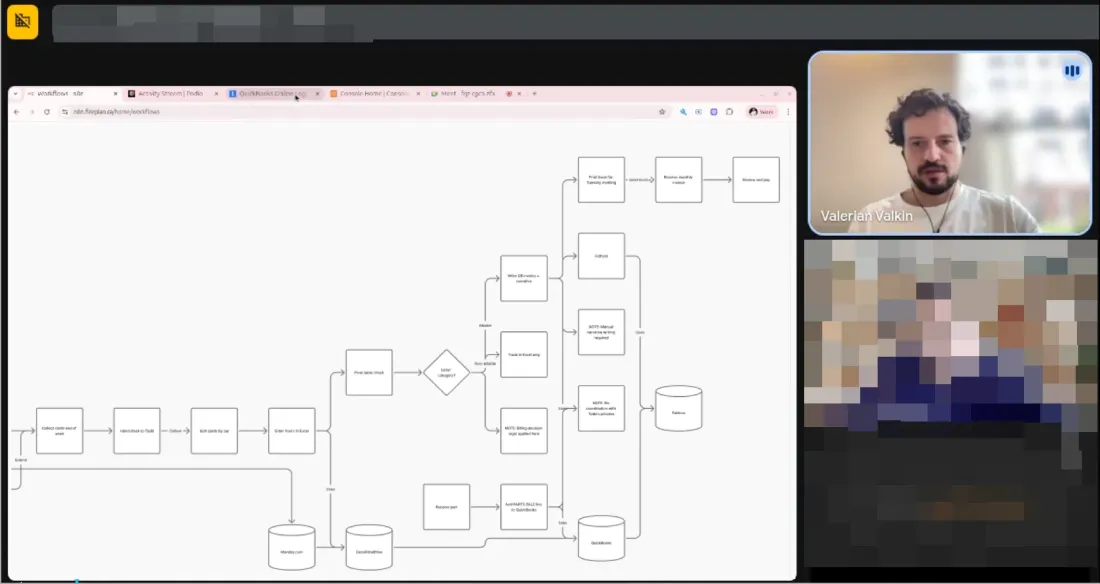
Before Fire Plan Strategies, a Canada-wide fire safety services company, came to us, Zapier had grown into a sprawl of Zaps nobody could audit: some worked, some were abandoned, some failed silently, none were documented. We moved their entire automation layer to self-hosted n8n and automated lead intake, quotes, invoicing and certificates. The result below comes from that whole build.

What clients say
“We are saving 230 hours every single month. Work that used to take a full team now runs on autopilot.”
 Mariano
FirePlan Strategies · Read the case
“The system they built removed around 230 hours of manual work each month and shortened our payment cycle from two weeks to two days.”
n8n Expert Partner directory
Certified n8n Expert Partner
Listed on n8n’s official partner directory, 5.0 from 7 reviews. Certification issued December 2025, valid through December 2027.
Prices before work starts
Each migration is quoted as a project before it begins. No hourly meter.
You own everything
Built in your accounts, documented in plain language. It keeps working without us. See our n8n automation agency page for everything else we build on n8n.
Zapier to n8n migration questions
Will my Zaps stop working during the migration?
No. Each Zap keeps running while its n8n version is built and tested next to it. We switch one workflow at a time, only after the outputs match and you approve, and the Zap stays paused rather than deleted until the n8n version has proven itself.
Can n8n import Zapier workflows directly?
No. There is no official import, because Zaps and n8n workflows are built differently. Community converters can turn a Zapier export or a Make blueprint into a draft n8n workflow, but credentials, webhooks, error handling and testing still have to be done by hand. That is the part we do.
How long does a Zapier to n8n migration take?
It depends on how many Zaps you have and how complex they are. A small set moves in a week or two; larger, complex accounts take longer. We give you a timeline after the inventory.
How much does a migration cost, and how much will we save?
A migration is priced like any of our projects: $6,000 to $24,000, quoted before it starts. We size the saving against your real task volume during the inventory rather than promise a number up front. The worked example on this page shows how to do the arithmetic yourself.
Do we have to self-host n8n?
No. We set up self-hosted n8n or n8n Cloud, whichever you prefer, in your own account. Self-hosting gives you the most control over data and cost; n8n Cloud means n8n runs the servers for you.
Can you migrate Make scenarios too?
Yes. Make scenarios move to n8n with the same method: inventory, rebuild, parallel run, cutover. Routers, iterators, aggregators and data stores each have an n8n equivalent, covered in the Make section of this page.
What if one of our apps has no n8n node?
We connect to the app through its API with the HTTP Request node, or build a custom node when the same app is used across many workflows. A missing connector is extra work.
Who owns and runs the workflows afterwards?
You do. Everything runs in your accounts and is documented in plain language, so your team or another developer can pick it up. If you want us to keep improving it, that is optional and quoted once the migration is live.
Move off Zapier without breaking what runs today.
Book a call to scope your migration, or start with an Automation Discovery Week from $2,000 and get the inventory, the plan and the price in one go.