Document automation, SaaS
SourceToDocs: a document generation platform we built and run
Rows from Airtable or Google Sheets become finished Google Slides and Docs files, on templates a designer built, delivered to Drive with a PDF
- Slides and Docstemplates, filled from Airtable or Google Sheets, with a PDF beside every file
- 1 week to 2 hoursto produce a 78-page conference program on it
- 4international conferences run their programs through it
What we built
- Airtable and Google Sheets connectors
- Dataset builder with typed columns and stable aliases
- Subsets with filters, sorting and grouping
- Template markup for Google Slides and Google Docs
- Split: one file per distinct value in a column
- Queued runs with statuses, history and webhooks
- Google Drive delivery with a PDF beside every file
- Workspaces, projects, plans and billing
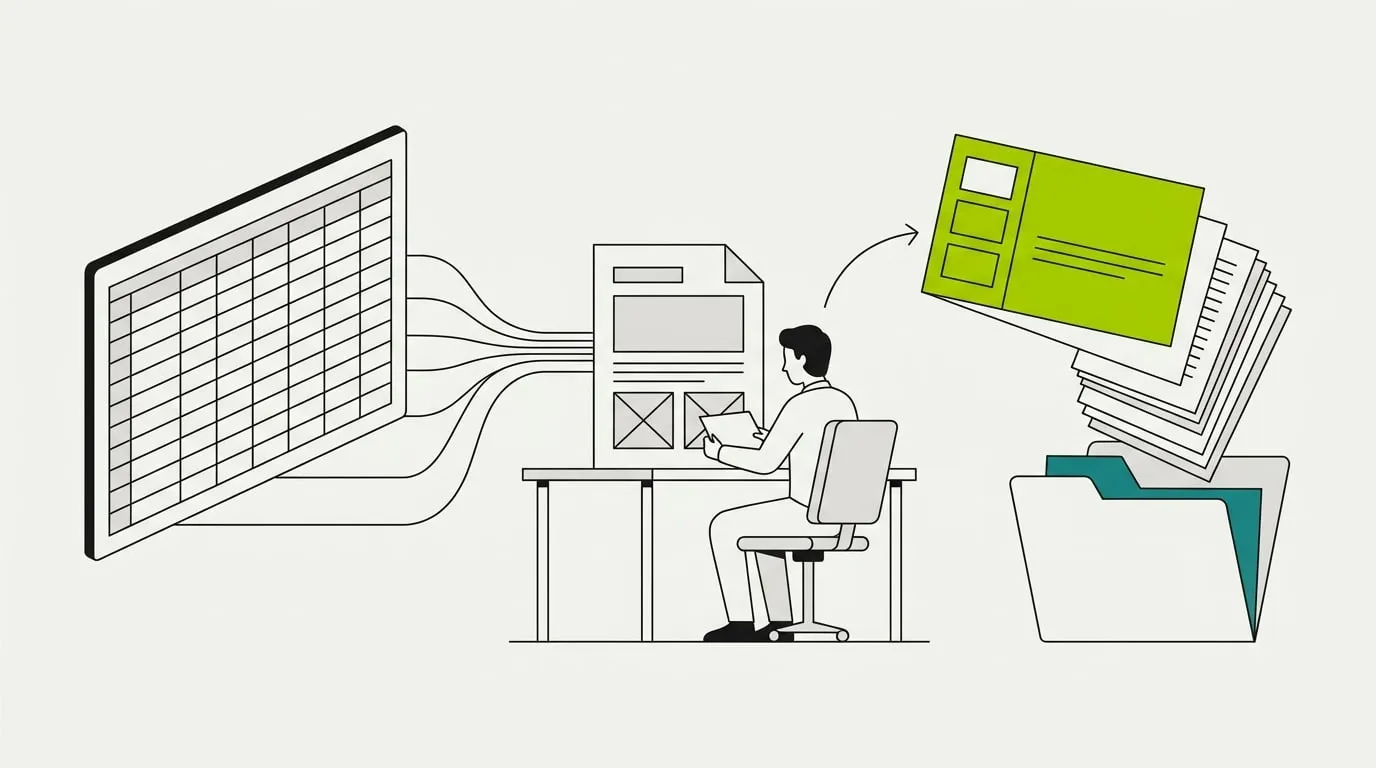
SourceToDocs is our own product. We designed it, built it and run it, and we use it inside client work. This page is about the software: why it exists, what it does and how it is put together. The client numbers on it come from the conference program story, where the platform did the document step for four large international conferences.
The problem we kept hitting
Almost every workflow we build for a client ends in a document. A monthly report, a proposal, a conference program, a quarterly deck. The automation would run all the way to the last step, and then a person would open a template, paste in the numbers, fix the layout and export a PDF.
We closed that gap the way most agencies do: a script per client. One read Airtable and wrote into Google Slides. Another filled a Docs template. Each had its own field mapping, its own quirks, and its own owner who was the only person who could change it. When a client’s template changed, the script changed with it.
The design and the data have to stay apart. A designer owns the template. The team owns the data. The generator's only job is to put one inside the other, every time, identically. Once we wrote that down, a script per client stopped making sense and a product did.
What we decided to build
A platform with a user interface, so that the person who owns the data can set up a document without an engineer. Templates stay in Google Slides and Google Docs, where the designer already works. Data stays in Airtable or Google Sheets, where the team already keeps it. The platform connects the two and runs the generation.
The first version was a program generator for conference teams: Airtable in, a Google Slides program out, as a PDF. That tool proved the model on real events. SourceToDocs is the general version of it, with sources, templates, filters and delivery that any team can configure.
How it works
Connect a source. A workspace connects an Airtable base or a Google Sheets spreadsheet. Access is checked when the account is connected, so a broken credential shows up at setup and not in the middle of a run.
Build datasets. A dataset is one table plus the columns the document needs. Columns are discovered and classified into seven types (text, number, date, select, bool, file and relation), and each gets a snake-case alias for the template. Renaming a column in Airtable does not change the alias, so templates keep working when the base is tidied up.
Filter and sort with subsets. A dataset can have several subsets, each with its own filters and sort order. Eleven filter operators cover the usual cases, from equals and contains to is any of and is empty. Linked records can be filtered through one level, so a session can be filtered by its stage’s name.
Mark up the template. In Google Slides the outline says which slides are static, which repeat over rows and which repeat as a group per parent row, nested up to five levels. Placeholders sit in text boxes and image alt text, with per-placement formatting for case, dates and numbers. In Google Docs the template uses Twig-style tags: variables, conditions and nested loops, so a table grows with the data.
Split when you need many files. Split reads one column and produces one file per distinct value. A batch run carries a child run per file, and each dataset either copies into every file or contributes only the rows that match that file’s key.
Run and deliver. A run reads the data, renders the file and delivers it. Each run ends Succeeded, Failed or Partial, and Partial keeps the file while recording what could not be rendered. Every file lands in a Google Drive folder with a PDF beside it. A webhook fires on the outcome, which is how an n8n workflow picks up the finished document.
How it is built
The application is Laravel with a Filament admin layer, on PostgreSQL. Generation runs on queue workers, so a 400-session program does not hold a web request open, and a batch of fifty files runs as fifty tracked jobs under one parent.
- Two renderers, one data model. Slides and Docs are different problems. Slides is fixed placement, so the renderer copies the template deck and fills numbered slots from the outline. Docs is flowing text, so the renderer evaluates a restricted Twig template. Both read the same datasets and subsets.
- A warning still ships the file. A placeholder that cannot resolve is recorded as a warning and the file still ships. Only a broken template structure fails a run. Teams get a document to look at rather than an error to decode.
- Google APIs behind a queue. Slides, Docs and Drive calls are batched and retried inside the job, with the run status updated as each stage completes.
- Plans and workspaces. Workspaces, projects, users and monthly document limits are enforced in the application. The product runs on a free plan and self-serve paid plans, with billing handled in the app.
Building a product changed how we build for clients. Every limit above is documented, every run has a status, and every error has a code. That discipline came from having outside users who cannot read our code, and it now shapes the internal tools we build too.
What it proved
The platform’s first serious workload was the conference work. Four large international conferences, each with 400 or more sessions across parallel stages, used it for the document step of their program pipeline: n8n handled the trigger and the routing, and SourceToDocs filled the template and delivered the file.
Before
A script per client, owned by whoever wrote it. A template change meant a code change.
After
The designer edits the template, the team edits the data, and the next run picks both up. No workflow code changes.
The full story of that engagement, told without naming the organizers, is on the conference program automation page. SourceToDocs itself is at sourcetodocs.com.
More client stories
 Facility Services - Fire Safety Compliance
 How Fire Plan Strategies Eliminated 230 Manual Hours a Month
~230 hrs / monthManual ops time eliminated
Lead intake, quotes, invoicing and certificates, automated
Read the story"This is music to my ears. Our accountant is definitely going to love this because she's not going to have to do invoices anymore. The admin staff is also..."
 Championship Ring Manufacturing
 Signature Champions: From Spreadsheet Chaos to Automated Revenue
300+ hrs / monthManual ops time eliminated
Custom software development and automation
Read the story"300+ hours of manual work eliminated every month. Recurring processes that ate our team's time are gone entirely."